
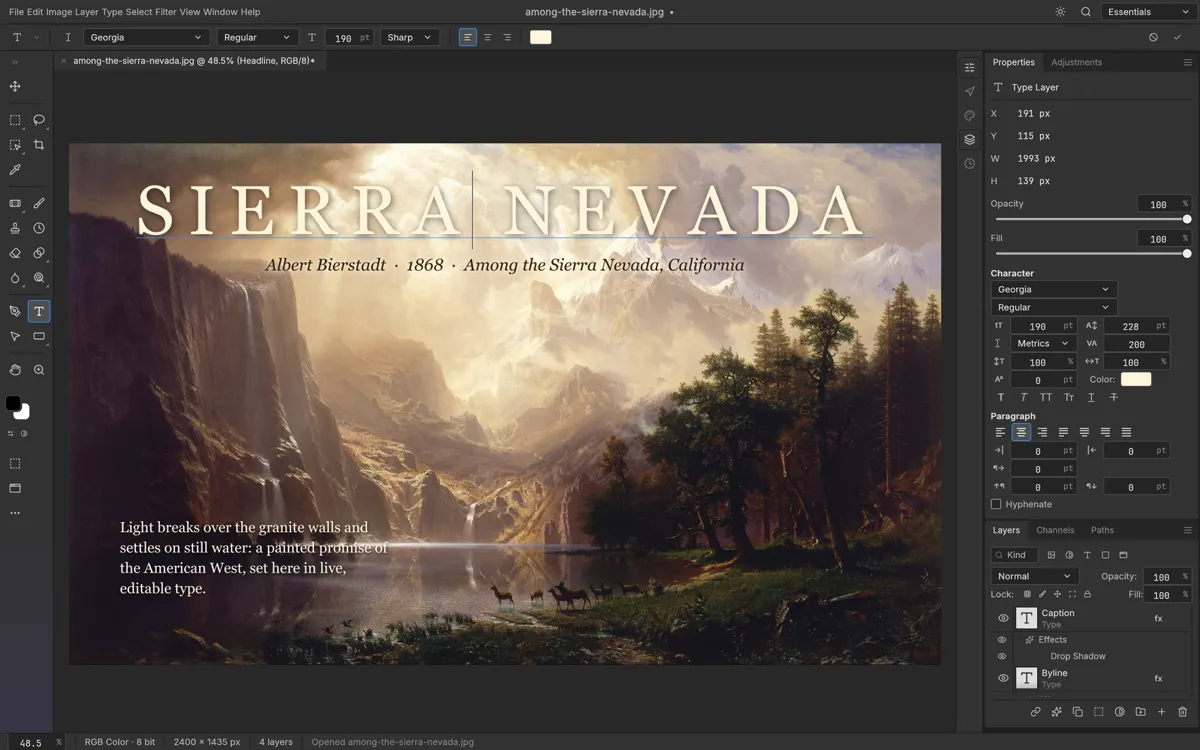
Poster and thumbnail text
Drop a caption card or title onto a photo, match it to the image with adjustment layers, and export a share-ready graphic in minutes.
Free · Runs in your browser
Open an image, edit it with real layers, text and adjustments, and download the result. PhotoCraft runs entirely in your browser — nothing is installed and your photos are never uploaded.
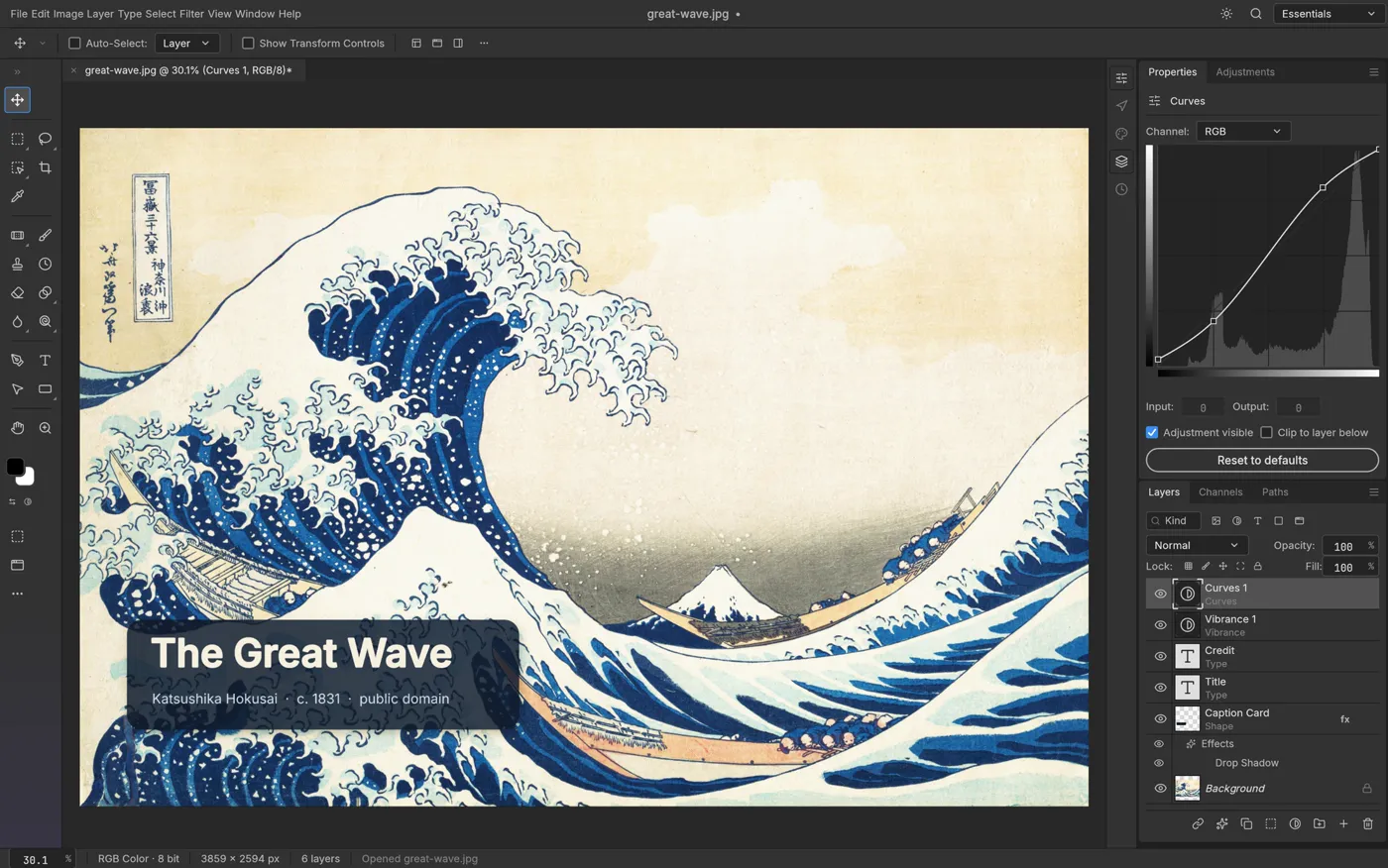 Preview: upstream example screenshot — click Start to run the real editor
Files are processed on your device and never uploaded. The web app has no autosave — use Save or Export inside the app before closing or reloading this page.
PhotoCraft is a free, open-source, layer-based image editor that runs in a browser tab. Layers, masks, adjustment layers and a familiar menu-driven interface put it close to the desktop editors you may already know — except nothing is installed, and every edit happens on your own device.
The editor itself is developed in the open by the ArtCraft team. This site is an independent host: official releases are pinned to versioned paths, each package is checked before it is published, and the application is served untouched. You open a tab, and the editor is there.
More about how this site hosts the softwareA complete round trip in PhotoCraft: open a photo, add an editable text layer on top of it, then export a finished image. These are steps you can repeat in about two minutes with the editor above.
In the app menu choose File → Open and pick a PNG or JPEG from your device. PhotoCraft decodes it locally and places it on its own layer.
Drop in a headline or caption, move it into place, then stack adjustment layers like Levels and Vibrance. Every layer stays separately editable.
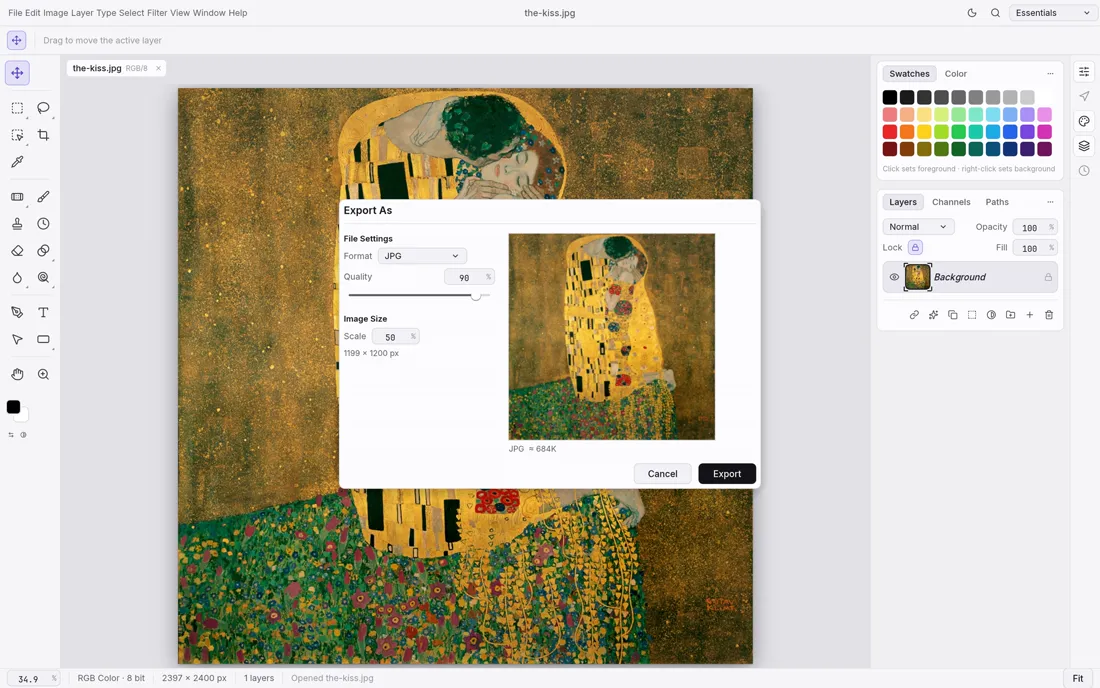
Export a flattened PNG or JPEG to share, or save the editable project file so the layers are still there next time.
Screenshots in this section are upstream examples from the PhotoCraft project (v0.8.2) by the ArtCraft team, licensed MIT OR Apache-2.0; the paintings shown are public-domain works. They are not user submissions.
Everything after step 1 happens inside the editor, on your device. No account, no upload, no install.
Click Start PhotoCraft. The editor loads in this page — roughly a 10 MB download the first time, which your browser then caches.
Use File → Open in the app and pick a PNG or JPEG from your device. The file is read by your browser, not sent to a server.
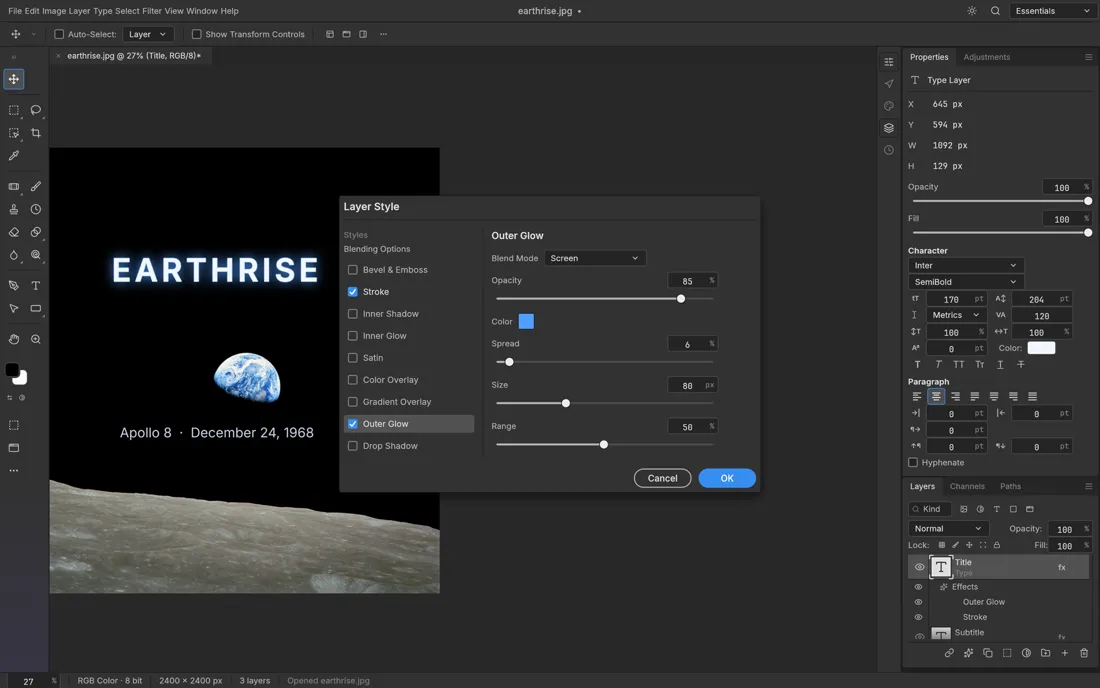
Add text, masks and adjustment layers, transform or paint directly — every change lives on its own layer until you flatten it on export.
Export a finished PNG or JPEG, or Save the project file to keep layers editable. Check the download before you close the tab.
PhotoCraft is a compact layer-based editor — closer to a desktop image editor than to a filter toy. What that means for your task:
Type, shape, adjustment and mask layers that you can stack, reorder and re-edit at any time — not a one-shot filter chain.
Headlines, captions and paragraphs with font, size, spacing and color controls, rendered crisply onto the canvas.
Opening, editing and exporting all run on your device via WebAssembly. Images are never uploaded to this site's server.
No sign-up and no watermark for the editing session. PhotoCraft is developed in the open under the MIT OR Apache-2.0 licenses.
Support as documented by the upstream project for v0.8.2. We exercise the PNG and JPEG round trip ourselves with every release we publish; for the rest, the table reflects upstream documentation — test with a copy of your file.
| Format | Support | Notes |
|---|---|---|
| PNG | Import + export | Flat images; transparency and 8/16-bit depth kept. |
| JPEG | Import + export | Flat images; quality selectable in Export As. |
| WebP | Import + export | Lossy and lossless variants. |
| PSD, PSB | Import (best effort) | Photoshop files open with layers; early alpha — complex files may differ from Photoshop. Keep your original. |
| Layered TIFF, OpenRaster, Krita .kra, Paint.NET PDN | Import (OpenRaster also writes) | Other editors' layered formats; each format has its own limits. |
| .pcraft | Native project format (Save) | Keeps every layer editable so you can continue next time. |
Source: the upstream PhotoCraft documentation. The web build can trail the desktop app for niche codecs (for example HEIC is read-only), so verify with a copy of your file before relying on a conversion.
Screenshots from the upstream project show what the editor can do — before you spend a minute starting it yourself.
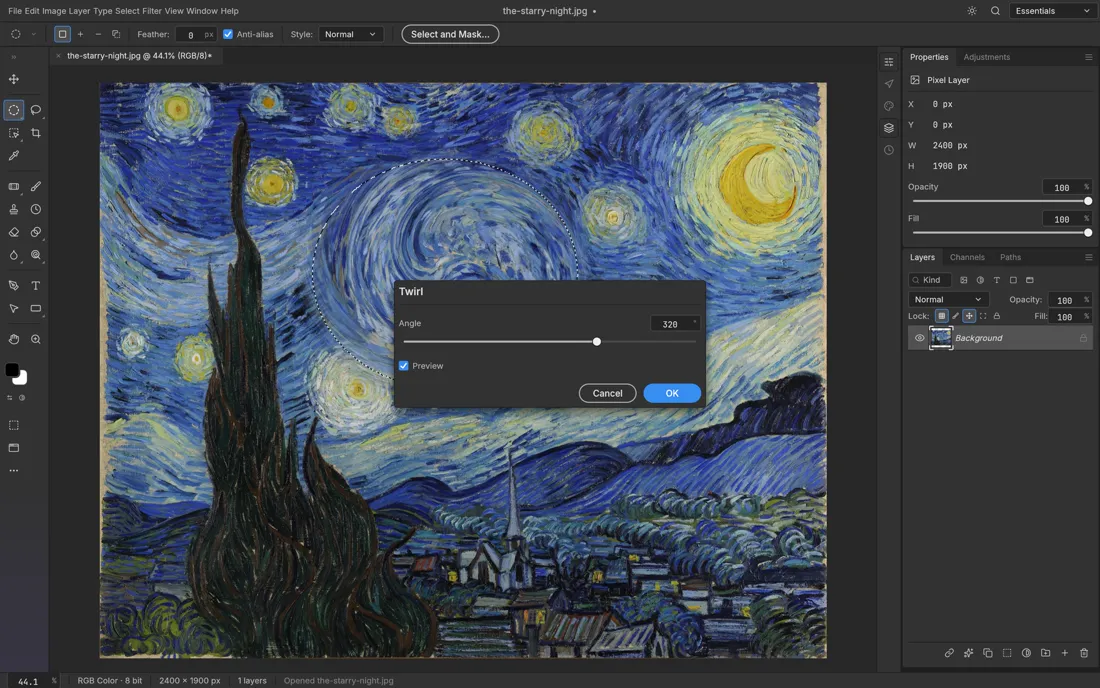
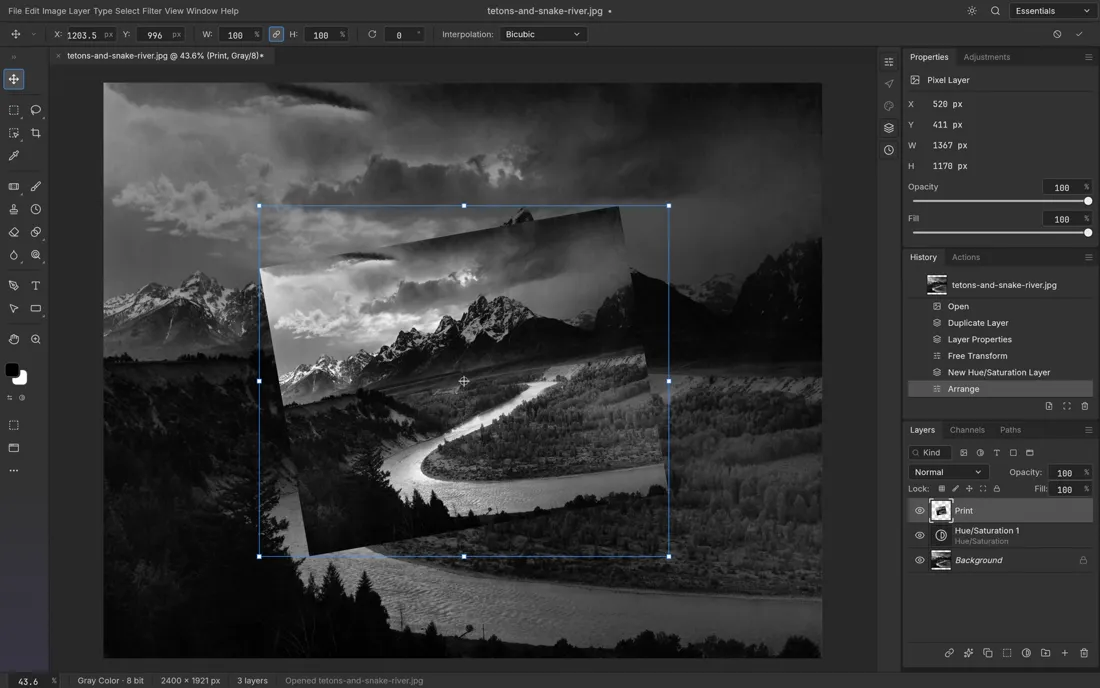
PhotoCraft is at its best for quick, one-off edits on computers where you cannot or do not want to install software.
Drop a caption card or title onto a photo, match it to the image with adjustment layers, and export a share-ready graphic in minutes.
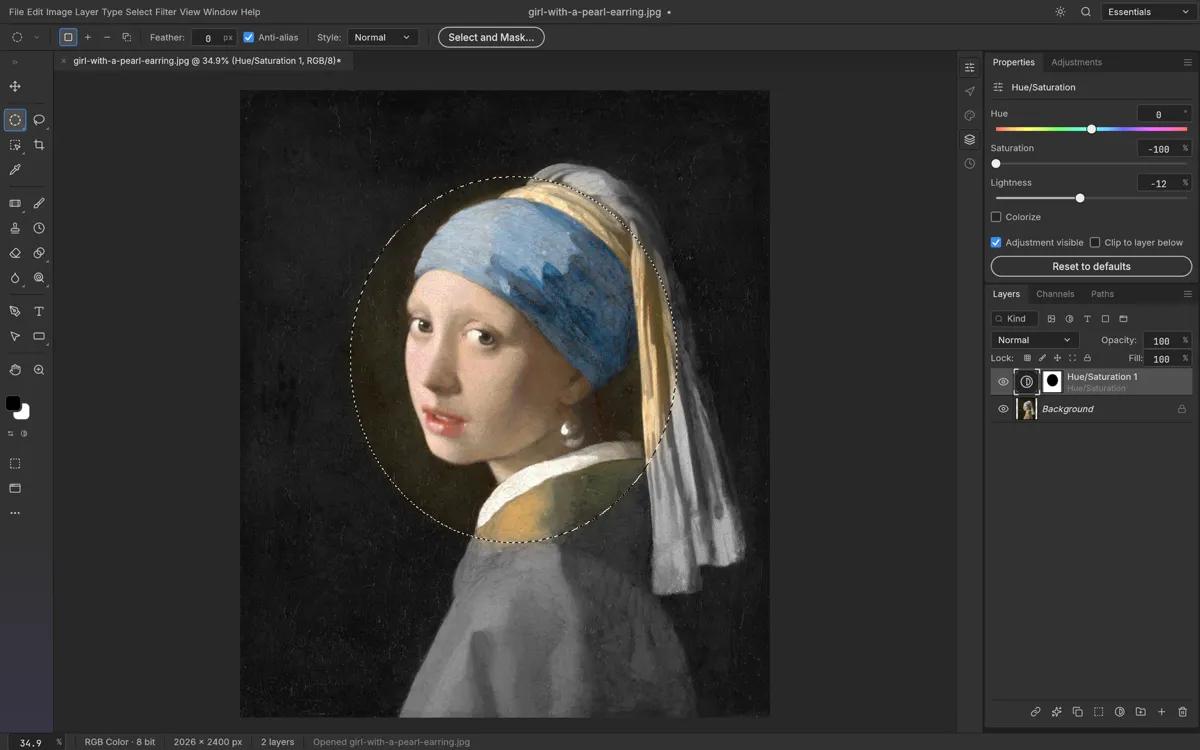
On a machine without install rights, a browser tab is enough: open the photo, make the small fix, download the result, close the tab — nothing left behind.
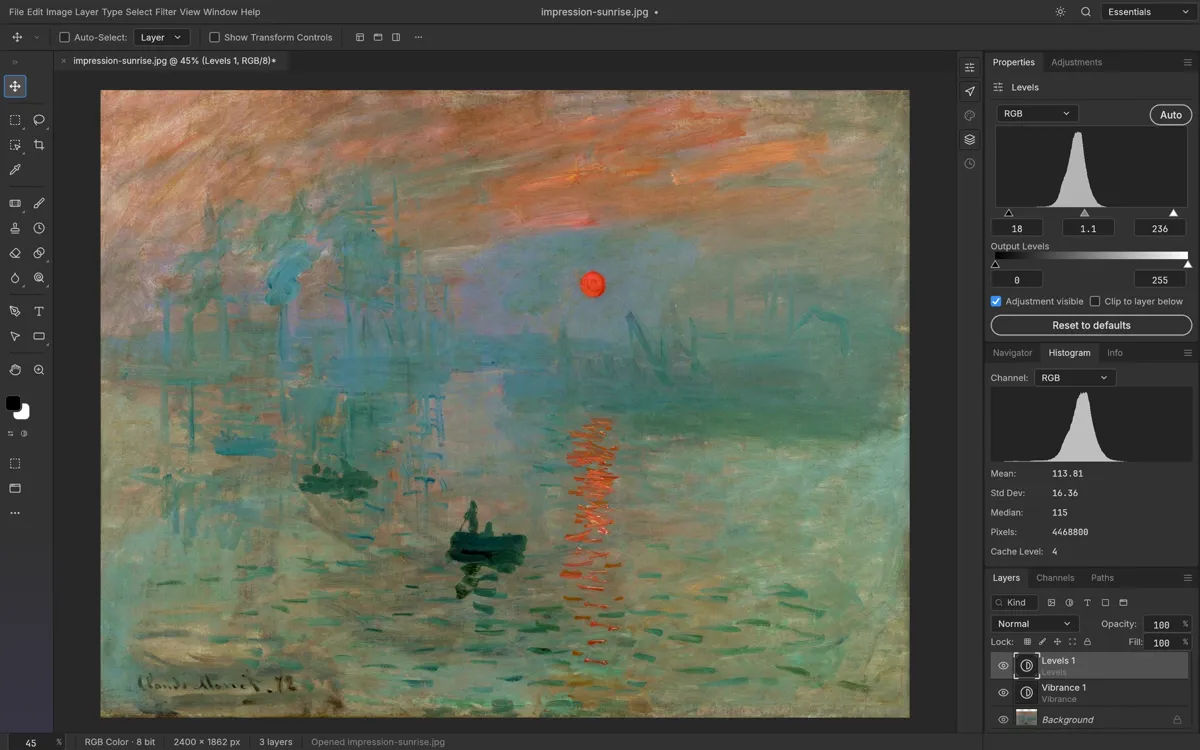
Fix an underexposed shot with Levels and Vibrance adjustment layers and compare the result as you go — without touching the original file.
A quick way to decide: PhotoCraft is built for full-image, layer-based editing in a browser — not a replacement for a tuned desktop workflow, and not a phone filter app.
| PhotoCraft (this site) | Desktop editor | Phone filter apps | |
|---|---|---|---|
| Install required | None — a browser tab | Full application | App from a store |
| Account needed | No | Sometimes | Usually |
| Your files uploaded | Never — processed locally | No | Often, to a cloud service |
| Layers, masks, adjustments | Yes | Yes | Rarely |
| Runs on locked-down work PCs | Yes | Rarely | Only if already installed |
| Price | Free | Varies | Freemium |
Desktop and phone columns describe those categories in general, not any specific product.
Stated for PhotoCraft v0.8.2 as hosted here. We would rather you know the edges than discover them mid-edit:
No autosave on the web. If you close or reload the tab before saving, unsaved edits are gone — save early, save often.
The first start downloads about 10 MB of editor (23 MB unpacked); it is cached afterwards, but the first load needs a normal connection.
Rendering uses WebGPU with an automatic WebGL2 fallback; the ?webgl or ?cpu flags force the slower backends when a driver misbehaves.
Large images are limited by your device's memory — an 8 GB laptop will struggle with huge multi-layer compositions.
The editor ships with Inter and JetBrains Mono only. Other fonts are not bundled on this host yet, so some documents will substitute fonts.
Early alpha: complex PSD files from desktop tools may not convert perfectly. Test with a copy and always keep your original.
Straight answers about how the hosted editor works on this site.
The editor is one click away, it runs in this page, and your file never leaves your device.
Start PhotoCraftPhotoCraft is an independent hosting of the open-source PhotoCraft image editor (v0.8.2) by the ArtCraft team, licensed MIT OR Apache-2.0. This site is not affiliated with, sponsored or endorsed by the upstream authors. PhotoCraft and ArtCraft are trademarks of their respective owners.